CS2 Trade Up Calculator & Simulator
Add ten skins of the same rarity, or five Covert skins for a knife or gloves, and enter their floats. You get every possible result with its chance, output float and price, plus the expected value of the contract. It is free and runs in your browser with no sign-in.
Prices as of 7 November 2026
Worked example: a contract at our prices
10 copies of Desert Eagle | Tilted (Field-Tested) at float 0.265 from The Overpass 2024 Collection return one of 4 next-rarity skins. Our calculator gives each a 25% chance; the result's float is 0.177–0.353, depending on the skin.
| Skin | Float | Chance | Price |
|---|---|---|---|
| 10 × Desert Eagle | Tilted (Field-Tested) | 0.265 | — | $1.20 (10 × $0.12) |
| Galil AR | Metallic Squeezer (Field-Tested) | 0.212 | 25% | $0.13 |
| Glock-18 | Teal Graf (Field-Tested) | 0.177 | 25% | $0.14 |
| MAC-10 | Pipsqueak (Field-Tested) | 0.318 | 25% | $0.21 |
| Nova | Wurst Hölle (Field-Tested) | 0.353 | 25% | $0.17 |
The inputs cost $1.20 and the expected value of the result is $0.16 (−$1.04 before fees).
Prices as of 7 November 2026.

Quick answers
- Is the trade up calculator free?
- Yes. Add skins, set floats and see the results in your browser without signing in.
- How does the trade up simulator work?
- It lists every skin your contract can return, with its chance, output float and price. Change a float and the whole contract is recalculated.
- Can you trade up to a knife in CS2?
- Yes. Since 22 October 2025, five Covert skins return a knife or gloves from the collection of one of the inputs. Pick a Covert skin first and the calculator switches to five slots.
- How are trade up odds calculated?
- Valve does not publish the odds. Our calculator gives each collection a share of the result equal to its share of the inputs, split evenly between its skins one rarity higher: seven inputs from a collection with two possible results give each a 35% chance.
- How is the output float calculated?
- Our calculator places each input inside its float range, averages those positions and maps the average into the range of each possible result.
- Where do the prices come from?
- From the marketplaces we track, including Steam, Buff163, Skinport and DMarket. Prices update automatically and can change — check the final price on the marketplace.
More CS2 tools
| Your question | Tool |
|---|---|
| What is a skin worth on each marketplace? | Price table |
| Which skins are in a case or collection? | Collections |
| Is a case worth opening at our prices? | Case ROI calculator |
| How much is my inventory worth? | Investment calculator |
| How is the CS2 skin market moving? | Market cap index |
Start with the task you need to complete
Use a guide to understand the calculation, then try it with your own inputs.
Prices & selling
 Compare the price of the same CS2 skin
Match the item, wear and market price basis before comparing offers.
Compare market prices → Check why your skins cannot be traded
Distinguish VAC, game bans, trade bans and temporary item protection.
Identify the exact item →Trade-up inputs & outcomes
 Check float and wear before buying inputs
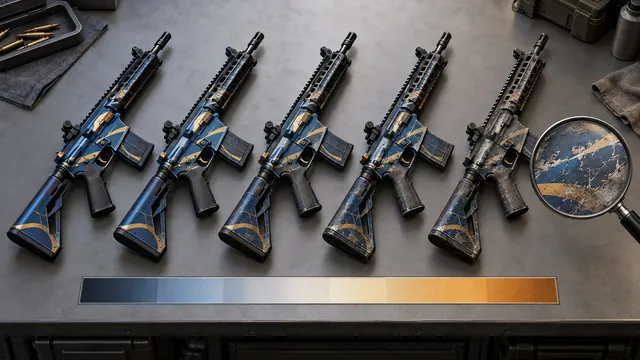
Read wear ranges and use the exact float when planning a contract.
Look up skin float ranges →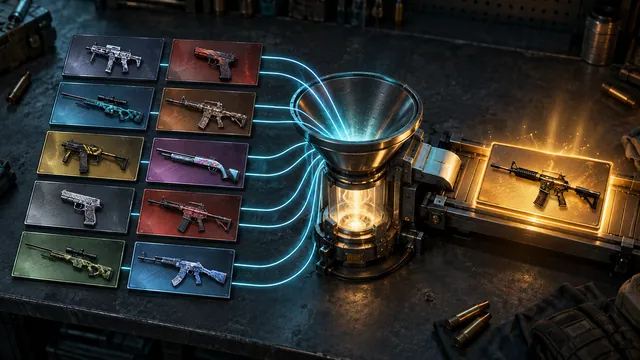 Calculate a trade-up before using your skins
Check eligible inputs, output probabilities, float and expected value.
Build a trade-up contract →Market research
 Read market data without mistaking it for profit
Compare price changes with what you actually receive after a sale.
Open the market cap index →Calculators
Trade Up Finder
Random and top contracts from more than 8,000 recipes: the input cost, every result’s price and the EV after the sale fee.
$Expected valueTrade Up Float & Odds Calculator
The full calculator: output floats, odds and expected value for 10 inputs or 5 Covert.
$Float AnalysisInvestment Calculator
Add your skins with their buy price and see what they are worth at our latest prices.
$ROI TrackingCase ROI Calculator
Compare the cost of a case and key with the expected value of its drops.
$Case EVSkins Database
CS2 skins with their price by wear on each marketplace.
$Item dataPrice Table
Compare the same skin on two marketplaces, with or without fees.
$Market compareCS2 market cap index
$Economy pulseHow the value of the CS2 skin market changes day by day.