
Listing fee tiers
Skinport
Research the applicable tier and full checkout for the exact item; confirm your selling or payment route separately.
Open SkinportCS2 marketplace selection
For one specific skin, compare inspected listings and the full checkout cost. For money, confirm the payout route before listing. For another skin, measure the entire swap against selling and buying separately. A single overall winner cannot answer these different questions.

Steam Wallet is useful for Steam purchases, but it is not a cash bank balance. The Subscriber Agreement rules out exchanging Wallet funds for cash. If your goal is external money, a lower Steam asking price is not a complete comparison with a cash venue.
| Goal | Compare | Reject the shortcut |
|---|---|---|
| An exact play skin | Same finish, wear, status and attributes; complete acquisition cost | Cheapest thumbnail or an unspecified float |
| Spendable money | Realistic sale proceeds, withdrawal and conversion; available destination | Site credit labelled in dollars |
| A different skin | Value surrendered, top-up and usable residual credit | Equal internal basket totals |
Skinport's published fee tiers make it a useful comparison for a conventional listing, while DMarket's item-dependent selling rates require the exact confirmation. Neither rate alone tells you whether your item has a buyer or your payout method is available.
For a swap, Tradeit's separate Trade, Store and Revenue balances deserve attention before any top-up. Swap.gg explains that popularity, volume and recent sales influence valuation; a market floor is not a promise of the exchange quote. Use these differences to decide what to check, rather than awarding a site an unsupported safety score.
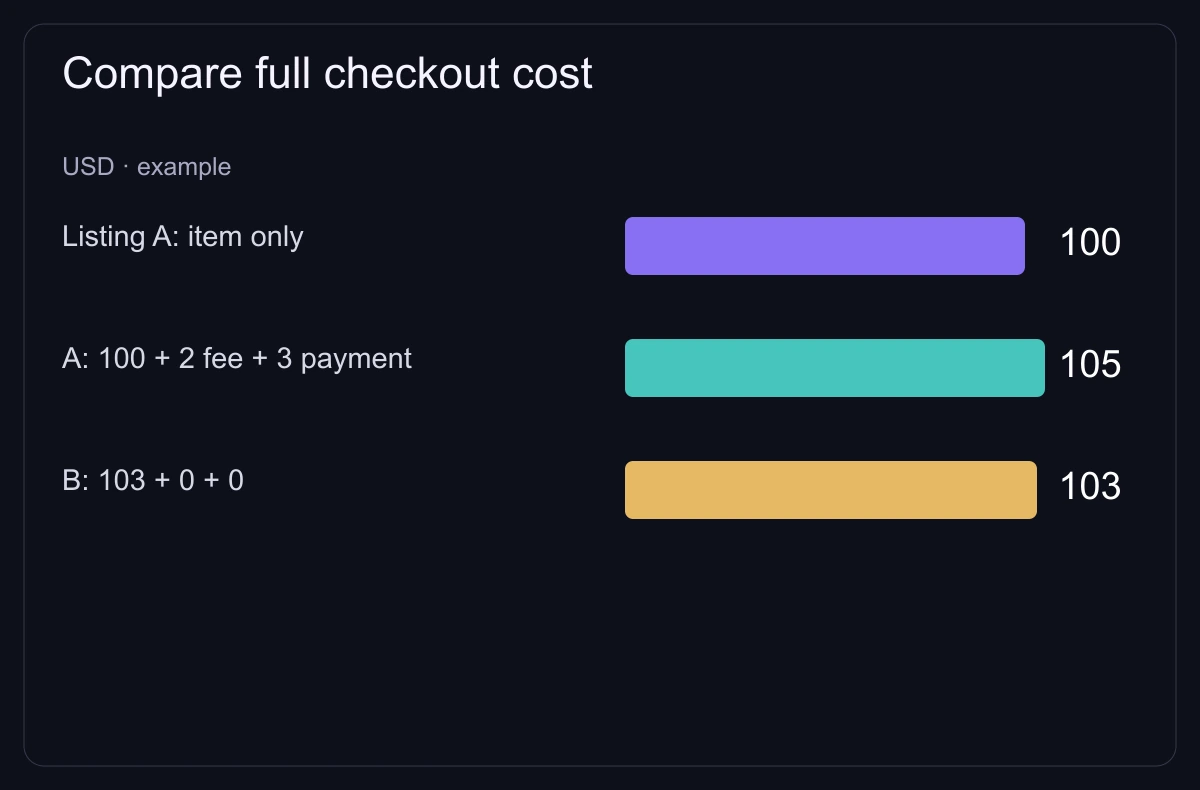
Example: the same inspected item costs $85 on A, with a $3 payment charge and a 2% conversion on the combined $88. Total is $88 × 1.02 = $89.76. On B it costs $89 with no additional charge. B is $0.76 cheaper even though its listing is higher.
This works only if both listings really match the required attributes and both payment routes are available. A different pattern, applied craft or delivery restriction can make the cheaper offer irrelevant. Record the quote currency and the date you saw it.
For a newly traded CS2 item, Steam's seven-day protection affects transfer and use restrictions. A platform's delivery promise does not override the inventory status. Read the venue's own treatment of reversals and settlement instead of assuming P2P or a bot guarantees immediate finality.
The price table helps find market prices for named item variants. It does not check a seller or price your rare craft, and a price can change before you buy. The fee tools apply our fee assumptions or values you enter; they do not calculate personal payout eligibility.
A sensible choice is the route whose exact item and complete transaction you can check. If identity, payment or item availability remains unresolved, a referral discount does not finish the comparison.
Listing fee tiers
Research the applicable tier and full checkout for the exact item; confirm your selling or payment route separately.
Open Skinport
Item-specific sale or exchange
Compare your item fee and available transaction, rather than using the lowest published rate for every skin.
Open DMarket
Swap and balance types
Check the outgoing basket, desired item and balance restrictions before valuing an exchange.
Open TradeitOperator announcement, 18 July 2025: standard 8%, eligible high-value 6%, private 2%; check which tier applies to your sale.
Published/updated: . Read: .
Updated 2 March 2026: usual CS2 selling range 2–10%, separate trade rate; checkout determines your item fee.
Published/updated: . Read: .
2 August 2026: only Revenue can be withdrawn; Trade and Store Balance differ; methods and waiting stages require account confirmation.
Published/updated: . Read: .
Operator describes sales volume, popularity and recent sales; complete pricing algorithm is not published.
Read: .
Wallet funds are not exchangeable for cash; this does not assess a third-party payout.
Read: .
Steam's seven-day protected-trade rule is distinct from a venue's sale, release and payout conditions.
Read: .
Some marketplace links are affiliate links.