
Item-specific sale and payout
DMarket
Confirm your item commission, eligible method and release stages rather than relying on a headline cashout claim.
Open DMarketFrom skins to received funds
Work backwards from the account that should receive the money. Confirm that the venue can pay your destination, that you can meet its identity requirements and that the expected net amount clears its minimum. A skin transferred, a sale recorded and cash received are three different milestones.
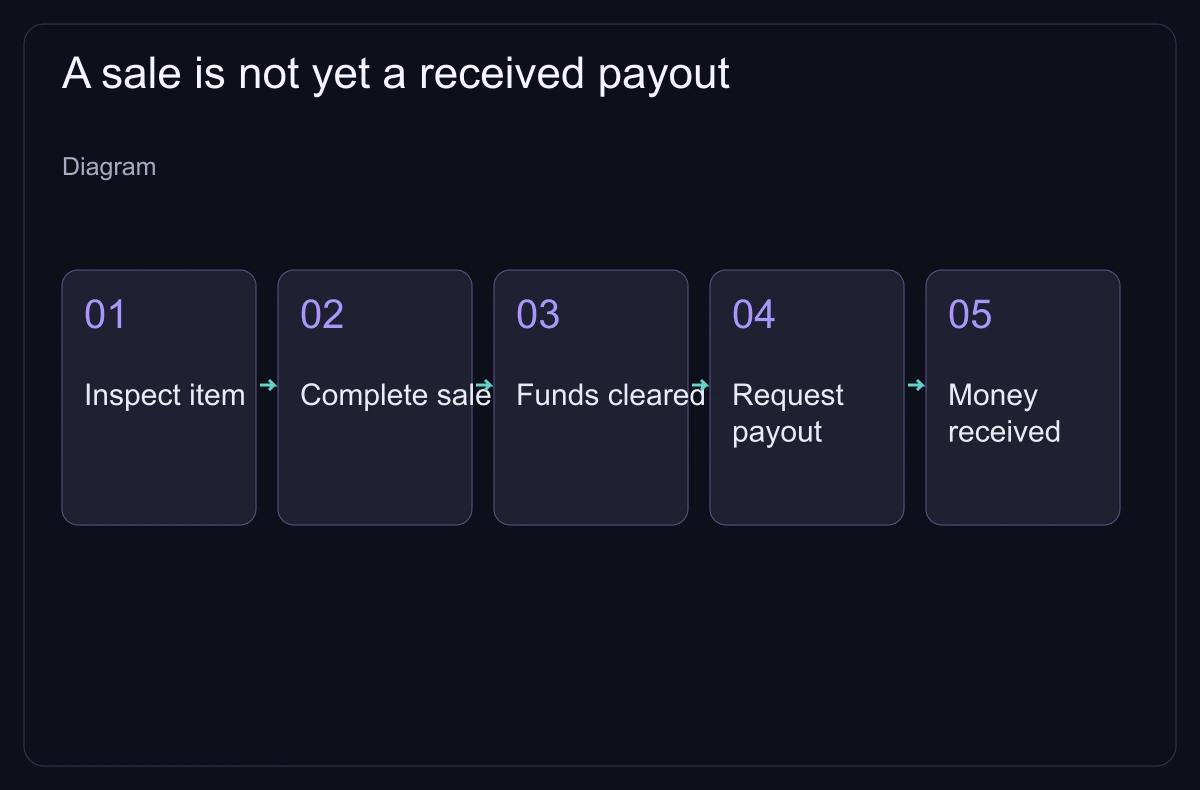
Choose the desired currency and an account or wallet you control. Read country, age, method eligibility, identity checks, payout minimum, fees and processing conditions. A method offered for deposits may not be available for withdrawals. Resolve an unknown requirement before transferring a valuable item.
Steam Community Market sales produce Wallet funds, not an external payout. A third-party exchange balance can also be restricted credit. Tradeit's 2 August 2026 guide, for example, allows only Revenue to be withdrawn and distinguishes it from Trade and Store Balance. Read the exact label instead of trusting a dollar sign.
Steam's Trade Protection creates a seven-day period for traded CS2 items. Read inventory restrictions and the service's release and reversal rules; item protection does not refund an external payment dispute. A correct transfer does not mean the platform has paid you.
A private buyer asking for cash outside the Steam trade window adds a payment agreement Steam does not support. Familiar names and a supposed middleman do not settle that risk. Choose a documented transaction, and never send an extra “test” transfer as proof.
| Route | What to establish | What the route does not cover |
|---|---|---|
| Service inventory | Transfer recipient, listing/cancellation and return rules | A buyer at your price or company solvency |
| P2P fulfillment | Order identity, availability and direct delivery procedure | Safe cash settlement merely because no bot holds the item |
| Immediate sale quote | Exact item acceptance and usable proceeds | Immediate bank receipt |
| Private cash promise | Payment and dispute arrangements outside Steam | Steam support for an off-window cash promise |
Example, in dollar equivalents: a $300 sale with a 6% selling charge leaves $282. A 2% withdrawal charge on that balance leaves $276.36; a $1.50 fixed charge leaves $274.86. A 1% conversion deduction on that amount leaves $272.11 after rounding.
The deductions total about $27.89, not simply 9% plus $1.50 on the original sale. Percentage bases matter. The manual calculator supports one percentage of gross plus a fixed cost; for this sequence, calculate each stage separately. The example is not any service's tariff.
Use the actual currency-conversion quote and recipient charges for your destination. A payout minimum applies to the amount and stage specified by the operator, not whichever larger balance looks convenient. If a fee or conversion basis is unknown, record an unfinished estimate rather than entering zero.
Do not repeat a transfer, make another deposit or pay an unexplained unlock charge to diagnose the first transaction. Preserve the messages and use official support. If account control is in doubt, follow Steam's official recovery and trade-safety instructions before continuing; revoking one unknown API key alone is not a complete recovery procedure.
An optional small test shows that one route worked once. A later, larger transaction still depends on the terms and the site's ability to pay. Finish only when the intended money arrives, then retain a record of sale price, all costs and received amount.
| What you see | Next evidence | Useful support question |
|---|---|---|
| Item absent or transfer incomplete | Order and Steam offer/trade status | Which item or delivery step failed? |
| Sale shown, proceeds unavailable | Balance label and release date | Is this pending protection or a different balance? |
| Identity request or disabled payout | Official account request and error | What exact eligibility or document step remains? |
| Payout requested, nothing received | Request ID, destination and transaction status | Is it platform processing or recipient/network confirmation? |
Item-specific sale and payout
Confirm your item commission, eligible method and release stages rather than relying on a headline cashout claim.
Open DMarket
Listing and payout conditions
Compare seller tier and the destination requirements before moving an item into a listing workflow.
Open SkinportWallet funds are not exchangeable for cash; this does not assess a third-party payout.
Read: .
2 August 2026: only Revenue can be withdrawn; Trade and Store Balance differ; methods and waiting stages require account confirmation.
Published/updated: . Read: .
Steam's seven-day protected-trade rule is distinct from a venue's sale, release and payout conditions.
Read: .
Steam does not support cash promises outside its trade window.
Read: .
Some marketplace links are affiliate links.