
A VAC ban on any Steam game permanently blocks CS2 trading, the CS2 Store and CS2 item drops. A Steam trade ban, a CS2 cooldown, the 7-day Trade Protection shield and Steam's security timers are separate restrictions, and most of them end on a date Steam shows you. Steam names the restriction when you try to trade or list an item. Match that message to the table below.
Which restriction do you have?
| Restriction | What it blocks | How long it lasts |
|---|---|---|
| VAC ban | CS2 trading, the CS2 Store and CS2 item drops, whichever game the ban is for | Permanent |
| CS2 cooldown or Overwatch ban | CS2 trading, the CS2 Store and CS2 item drops | Until the cooldown or ban ends |
| Game ban | Online play and/or item trading in that one game | Set by the game's developer |
| Steam trade ban | Trading and the Community Market | Temporary or permanent |
| Trade Protected item | Consuming, modifying or transferring that item | 7 days after the trade |
| Trade reversal cooldown | Trading and the Market for the account that reversed | 30 days |
| Security timers | Trading and/or the Market | 3 to 30 days, see below |
Valve's Trading and Market Restrictions page lists each type. Steam Support cannot change any of them, whatever caused them.
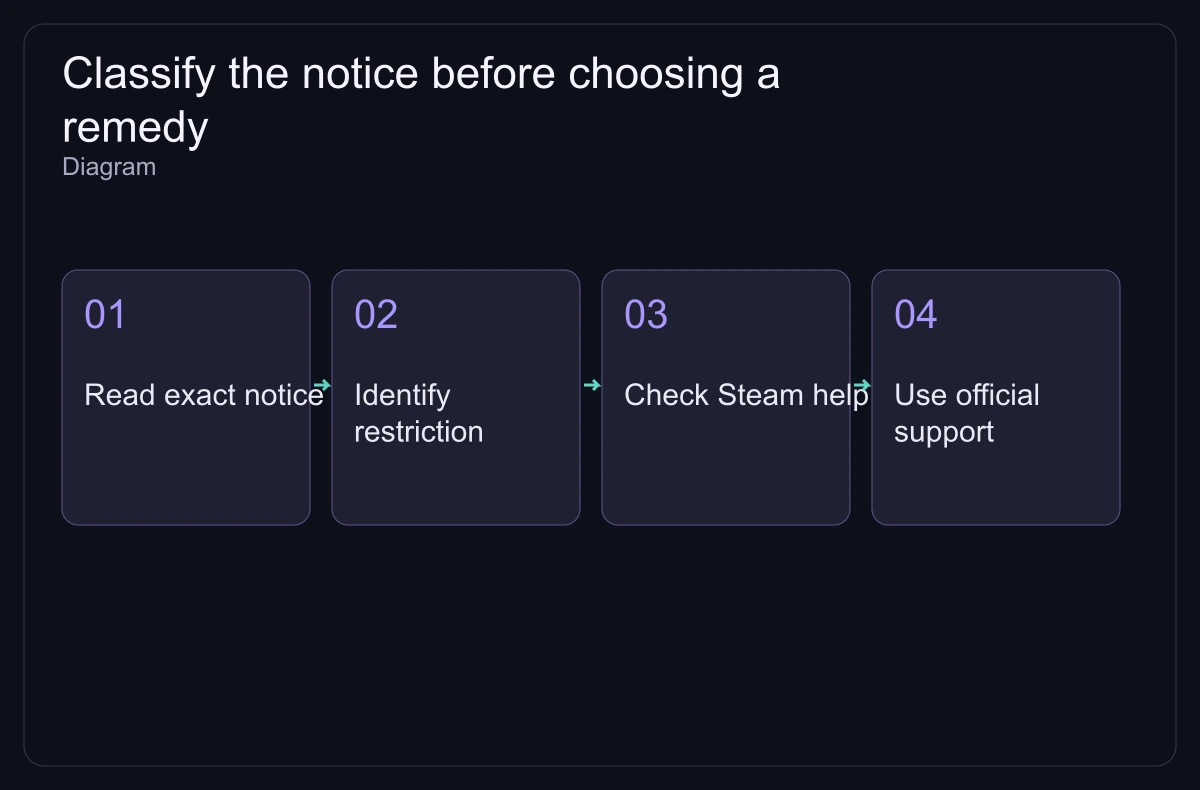
What a VAC ban does to a CS2 inventory
Valve's item rules say a VAC ban for any game ends access to the CS2 Store, CS2 item drops and CS2 trading. A CS2 cooldown or Overwatch ban has the same three effects while it lasts.
The VAC FAQ sets the rest:
- VAC bans are permanent and cannot be appealed. Steam Support does not remove them; a ban issued in error is removed automatically after investigation.
- The ban stays no matter who was using the account at the time.
- Items and games cannot be moved to another account. A banned account can still receive items but cannot send them.
- In games where the developer turned this on, a VAC ban also hits every account that shared the same phone number at the time.
To see which games a ban covers, open Steam → Settings → Account and select the details link under VAC Status.
Trade Protection: the 7-day shield is not a ban
A CS2 item you receive in a trade arrives at once, and you can equip it right away. For the next 7 days it is Trade Protected: you cannot consume, modify or transfer it, and you cannot put it in a Storage Unit. Valve's Trade Protected Items FAQ adds that CS2 items have no trade holds or escrow, and that the protection cannot be switched off.
The shield exists so a hijacked account can be undone. From your Trade History you can reverse trades that contain Trade Protected items. A reversal:
- reverses every protected trade from the last 7 days, not one trade you pick;
- returns all items from those trades to their previous owners;
- gives the account that reversed a 30-day trade and Market cooldown that Support cannot shorten, while its trade partners get none;
- returns that account's Market listings to its inventory and cancels its pending trade offers.
After 7 days the protection ends and the trade is final. CS2 items also cannot share a trade with items from games that have no Trade Protection.
Security timers that pause trading or the Market
- Password reset: 5 days without trading or the Market, or 30 days if the account had no activity for more than two months. Changing your password in the client does not trigger it.
- New device: 7 days without trading or the Market on that device, unless a Steam Guard Mobile Authenticator has been on the account for at least 7 days.
- Steam Guard: it must be on for 15 days before you can trade or use the Market.
- Mobile Authenticator removed: 15 days without trading or the Market.
- Market access: the account needs a successful purchase older than 7 days but not older than a year. A new, unconfirmed payment method waits 3 days before it can buy on the Market.
Game bans come from the developer
A game ban is decided by the game's developer and applied by Valve. It covers one game, can block online play and/or that game's item trading, never stops you from using Steam, and lasts as long as the developer sets. Only permanent game bans show on your profile. To appeal, contact the developer, who holds the data behind the ban.
Can you sell a restricted skin on a marketplace?
No. Every marketplace sale moves the skin through a Steam trade, so no site can sell an item that Steam won't let you trade. A Trade Protected skin can reach a buyer only after its 7 days end. Once the item is tradable, compare what each site pays after fees on the marketplace fees page.
"I reported you by accident" is always a scam
Valve's Restricted Steam Account page is direct: Valve staff never contact you through Steam Chat, Discord or any other chat. Claims of an accidental or false report are always fake, and anyone who asks you to send items for a "check" is a scammer to report. Steam Support works only through help.steampowered.com. The trading safety checklist covers the other common scams.